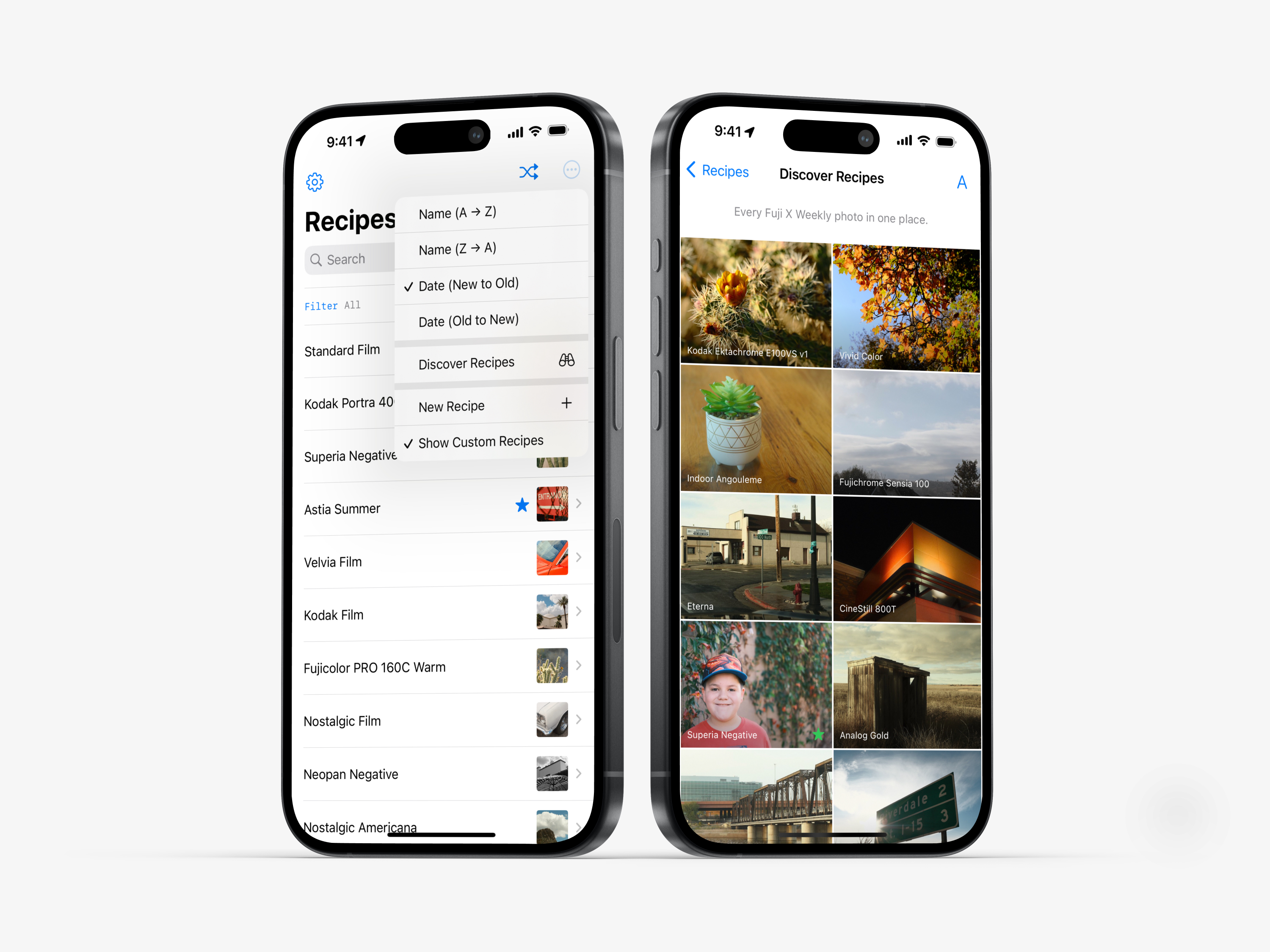
Fuji X Weekly App for Android
Fuji X Weekly App for Apple
Find over 400 Recipes for Fujifilm cameras in the Fuji X Weekly App! The App is free to download and use. Consider becoming a Patron subscriber to unlock the best App experience and to support Fuji X Weekly.
What’s a Recipe?
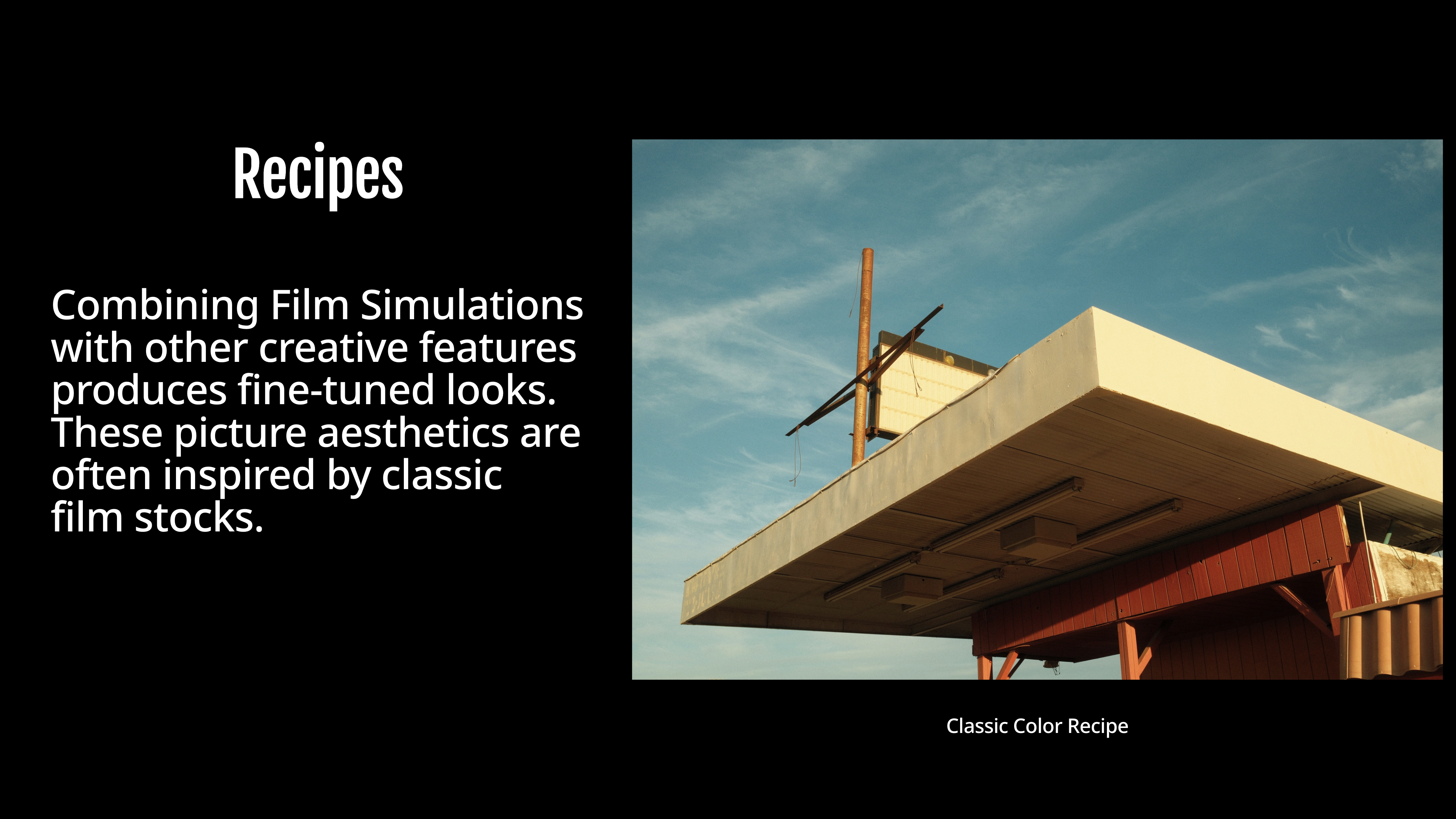
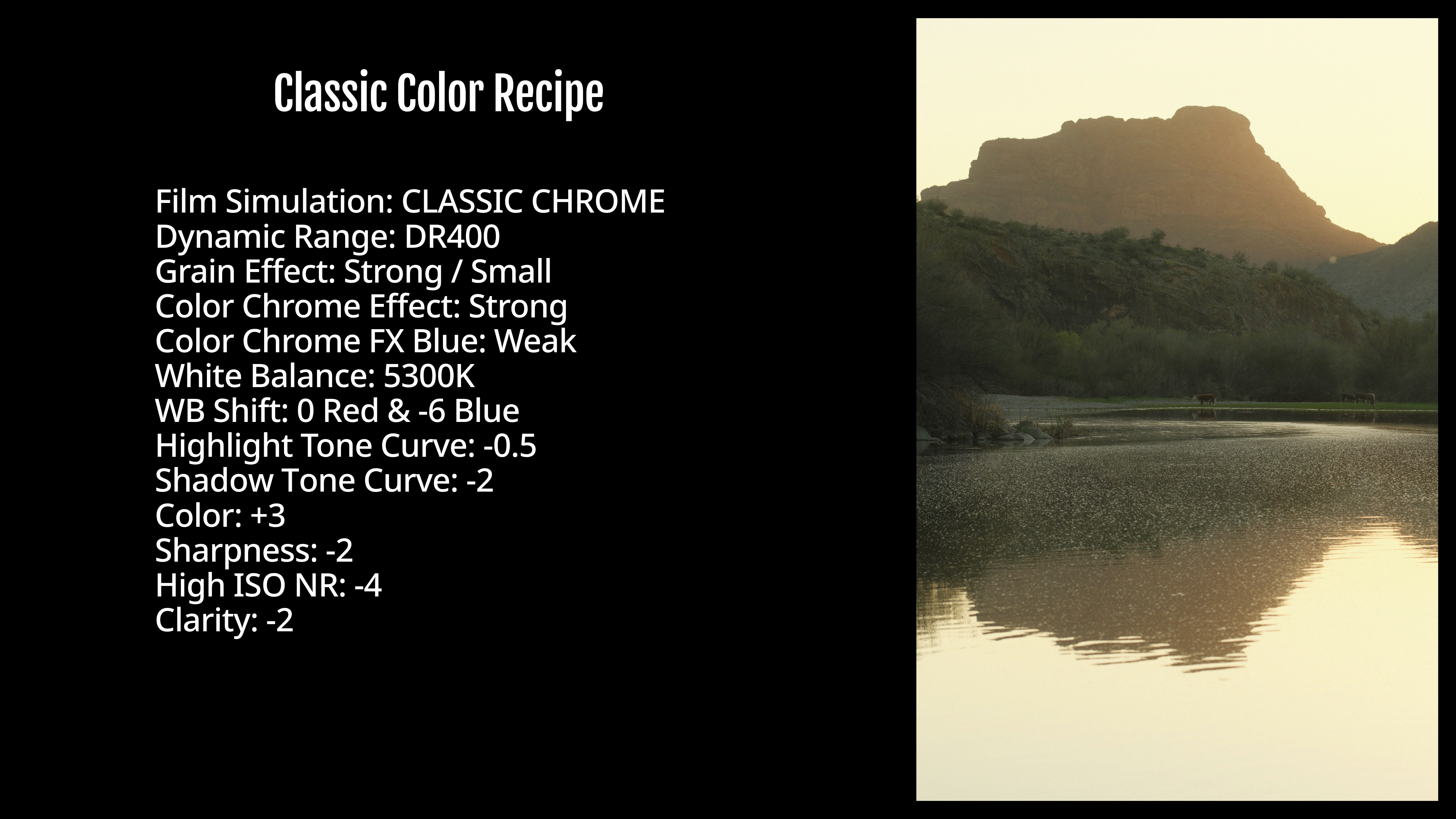
Film Simulation Recipes combine Fujifilm’s Film Simulations with other JPEG parameters to create in-camera looks that require little or no editing. Below is an example of a Recipe:
The base of any Recipe is the Film Simulation. Harnessing 90 years experience with analog film, Fujifilm digitally replicated the essence of classic film stocks. This history and experience are reflected in the high quality of the Film Simulations; rather than simply recreating analog film, Film Simulations inherit the vision of the future Fujifilm strived for in the analog era. There are 20 Film Simulations on the latest X and GFX cameras, and each one is unique. Let’s compare them (click here to view larger).
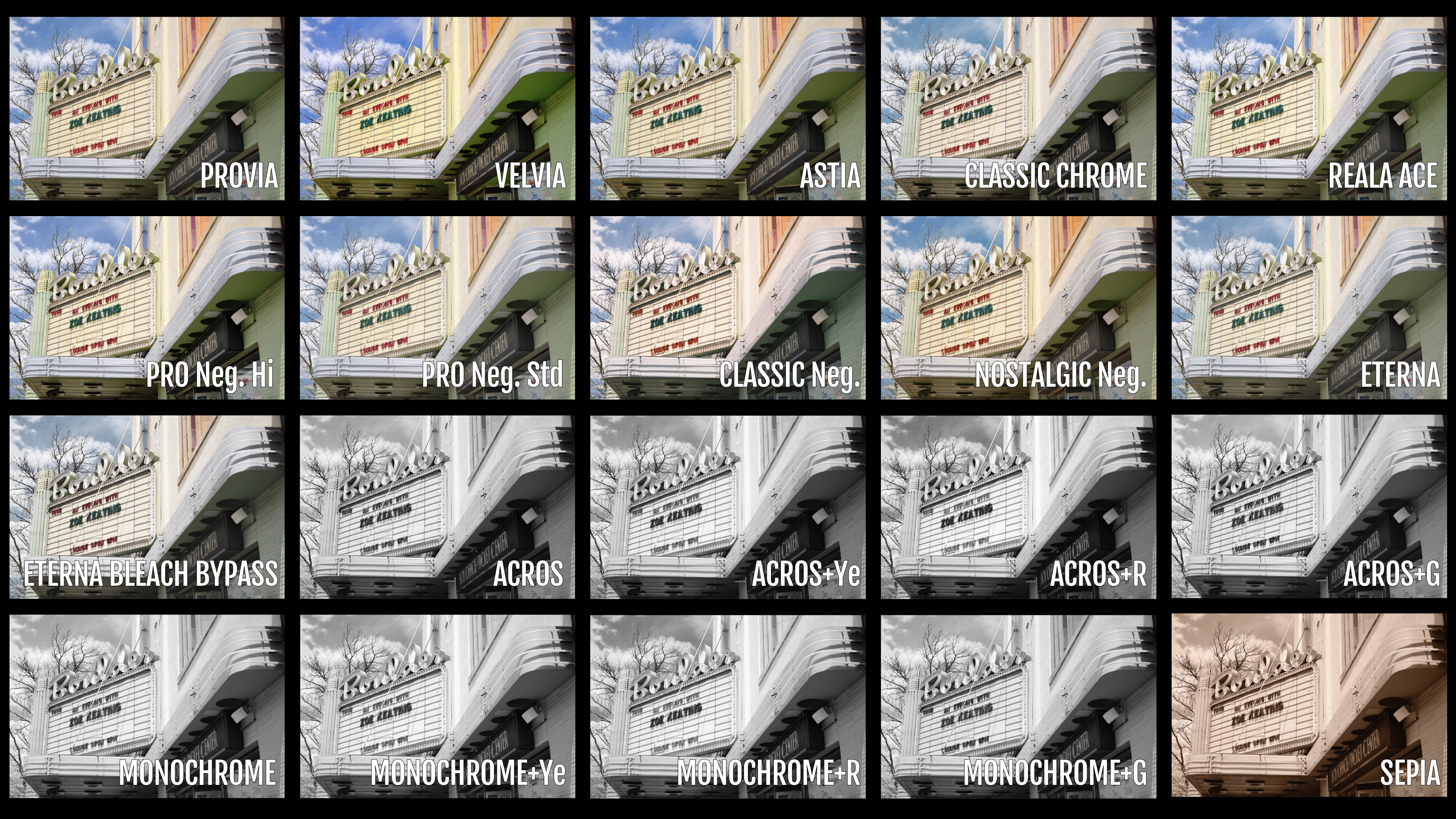
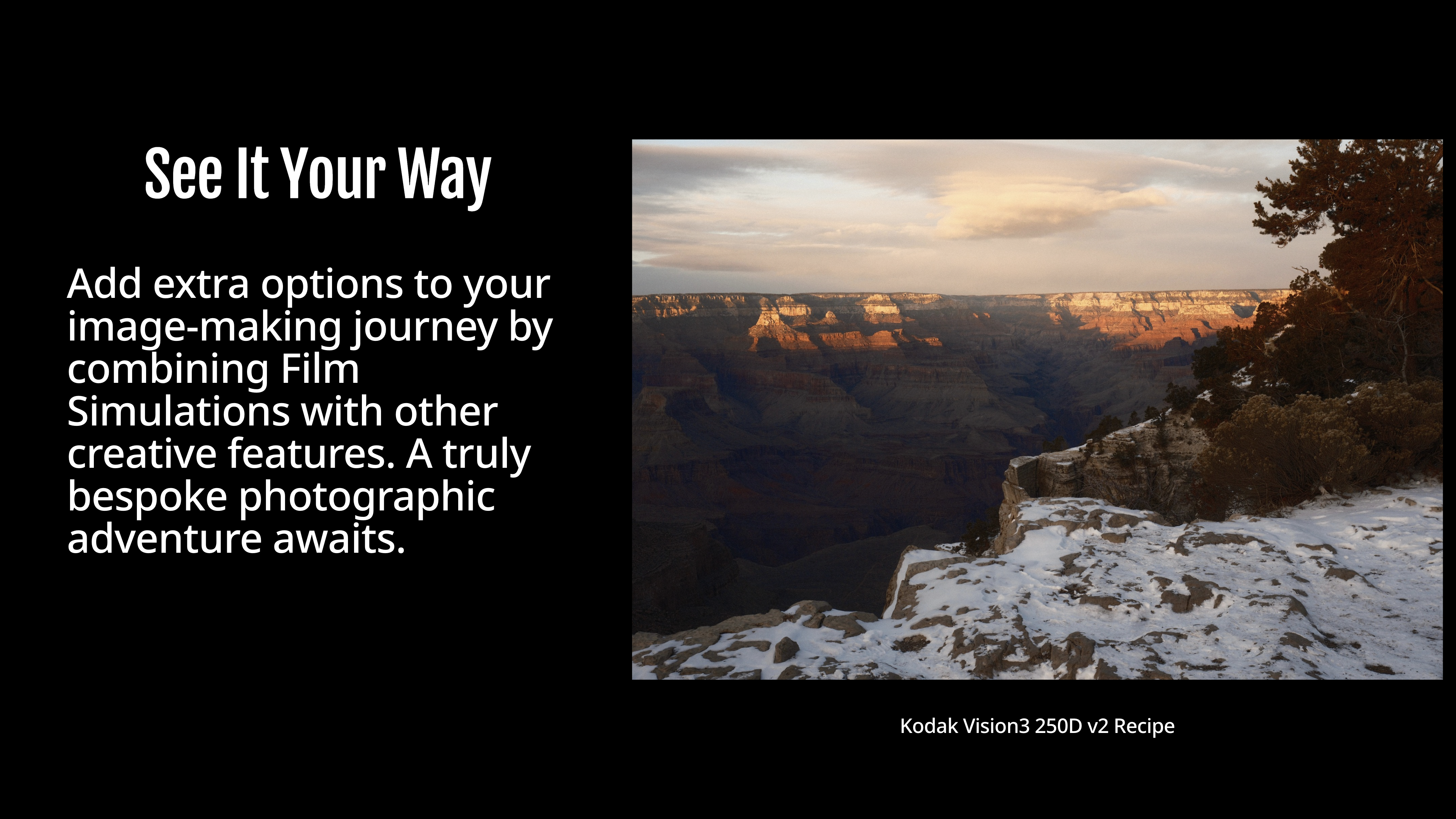
The image above showcases are the factory-default Film Simulations (not Recipes), but you can fine-tune the picture aesthetic by utilizing the various in-camera tools. These setting combinations can be used to replicate the characteristics of specific film stocks, or to produce a look that fulfills the photographer’s vision. By choosing a Film Simulation and adjusting the various other options, you create a Film Simulation Recipe.
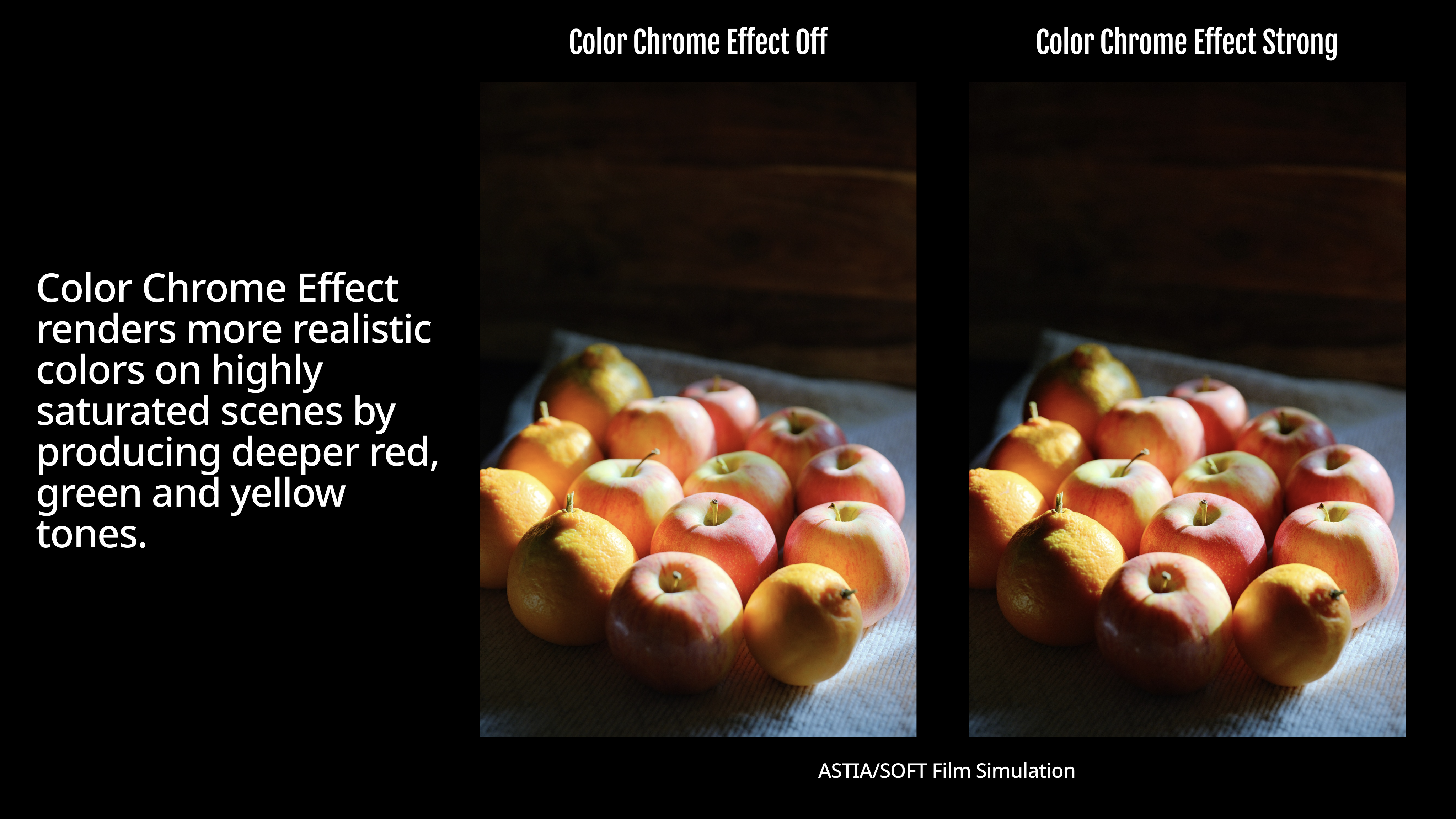
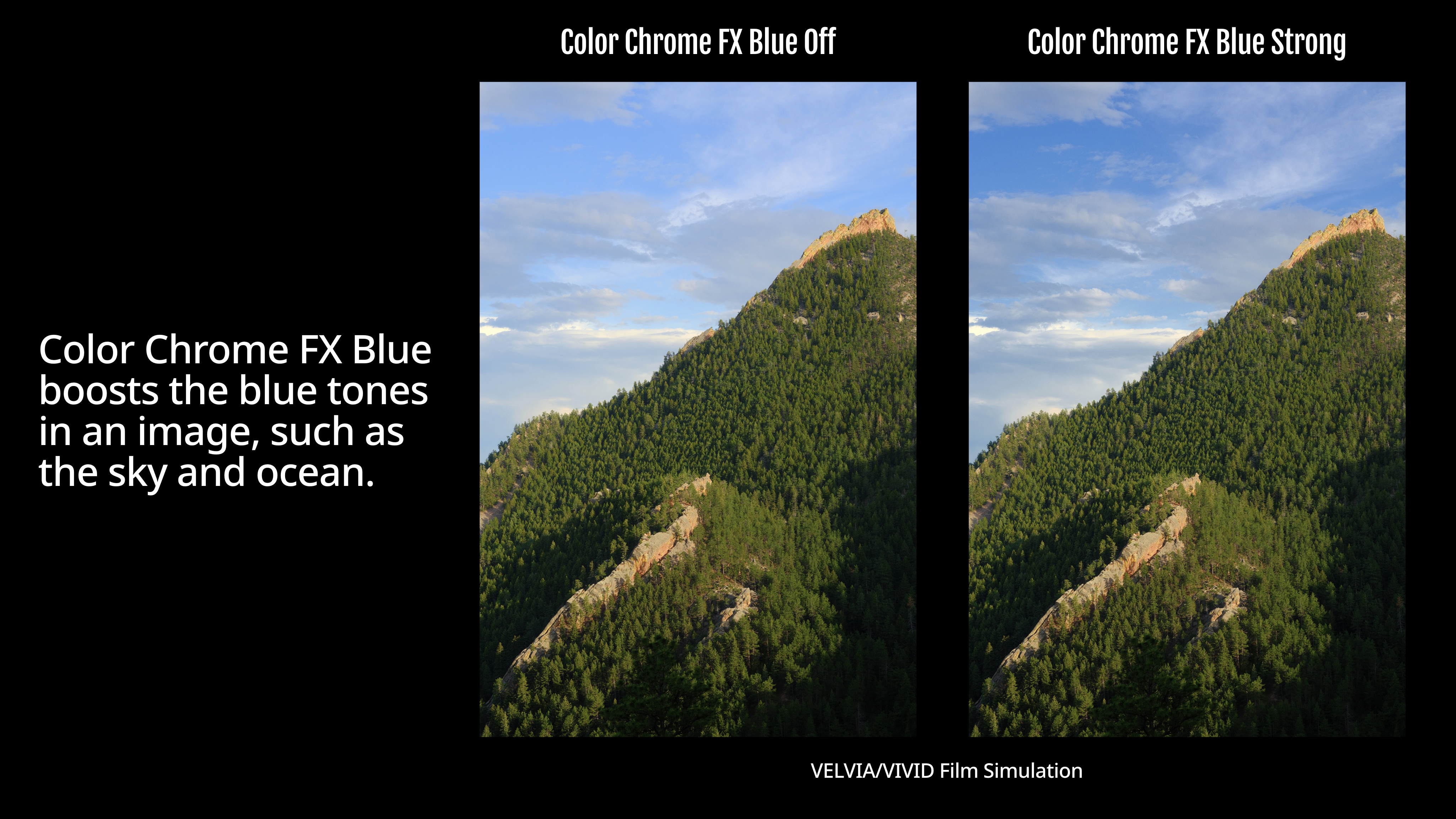
Some of the camera settings that are used in conjunction with Film Simulations are Dynamic Range, White Balance and WB Shift, Color, Highlight and Shadow Tone, Sharpness, and many more. Let’s take a look at a few of them, and see how it affects the image.
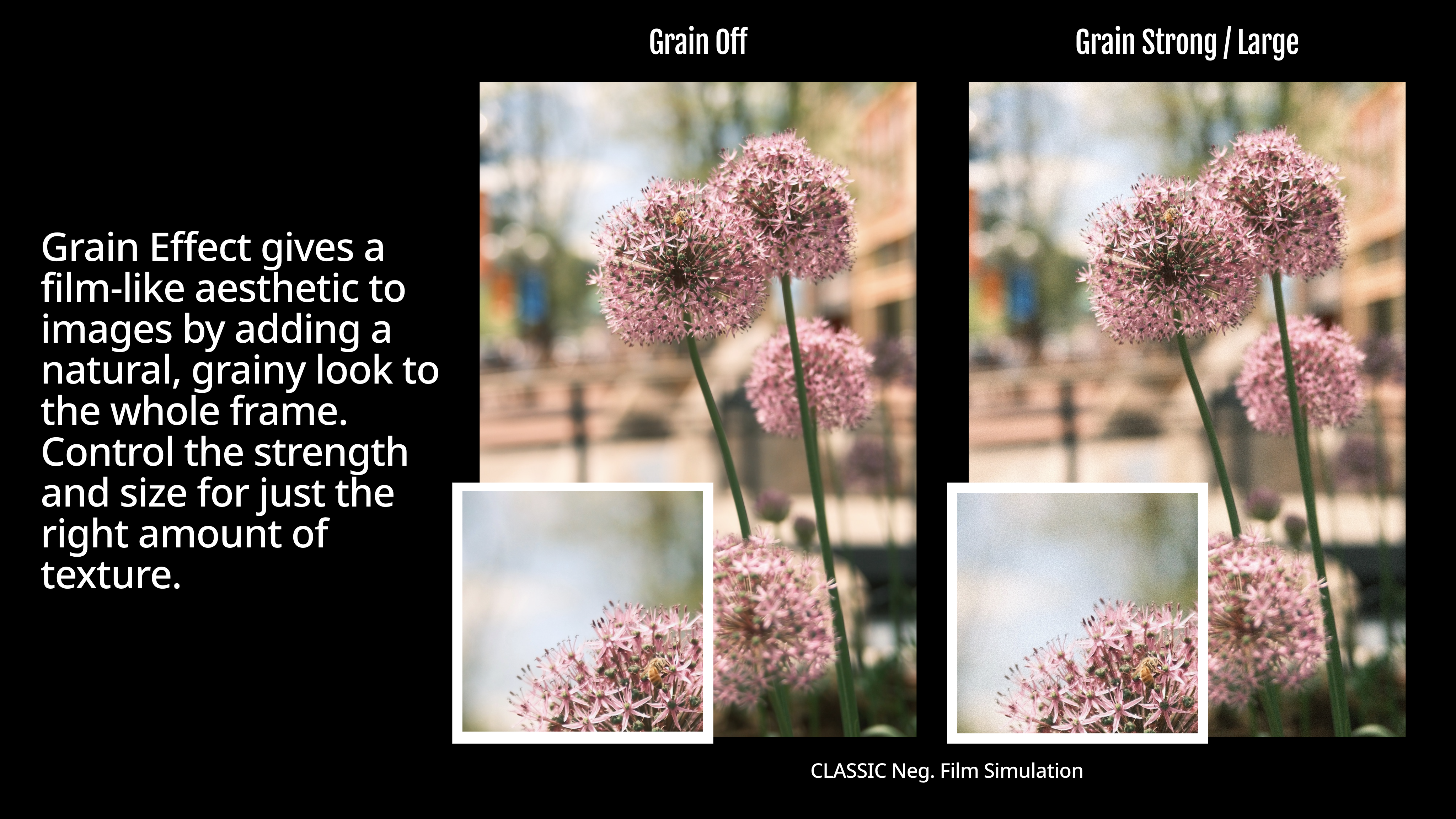
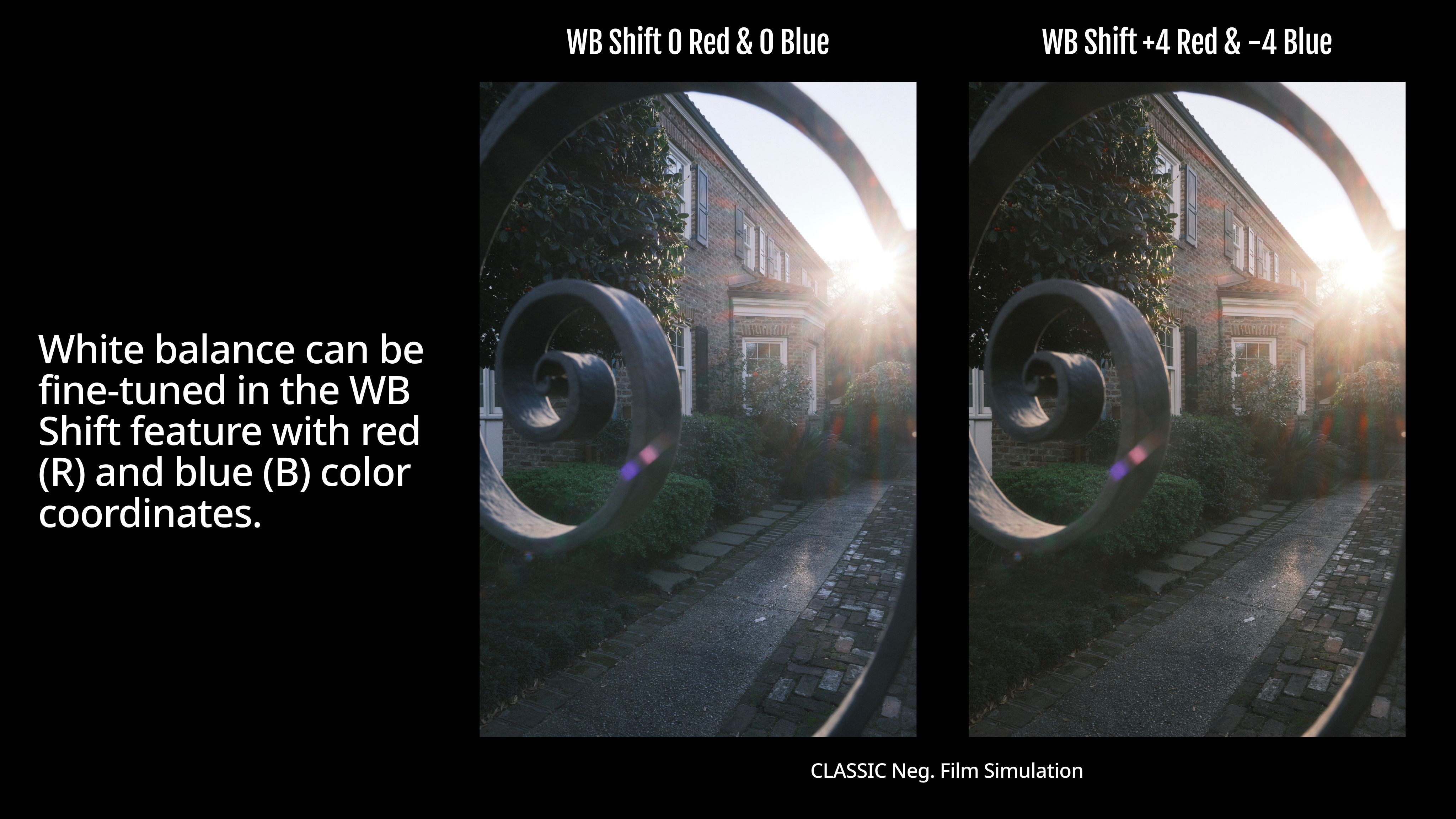
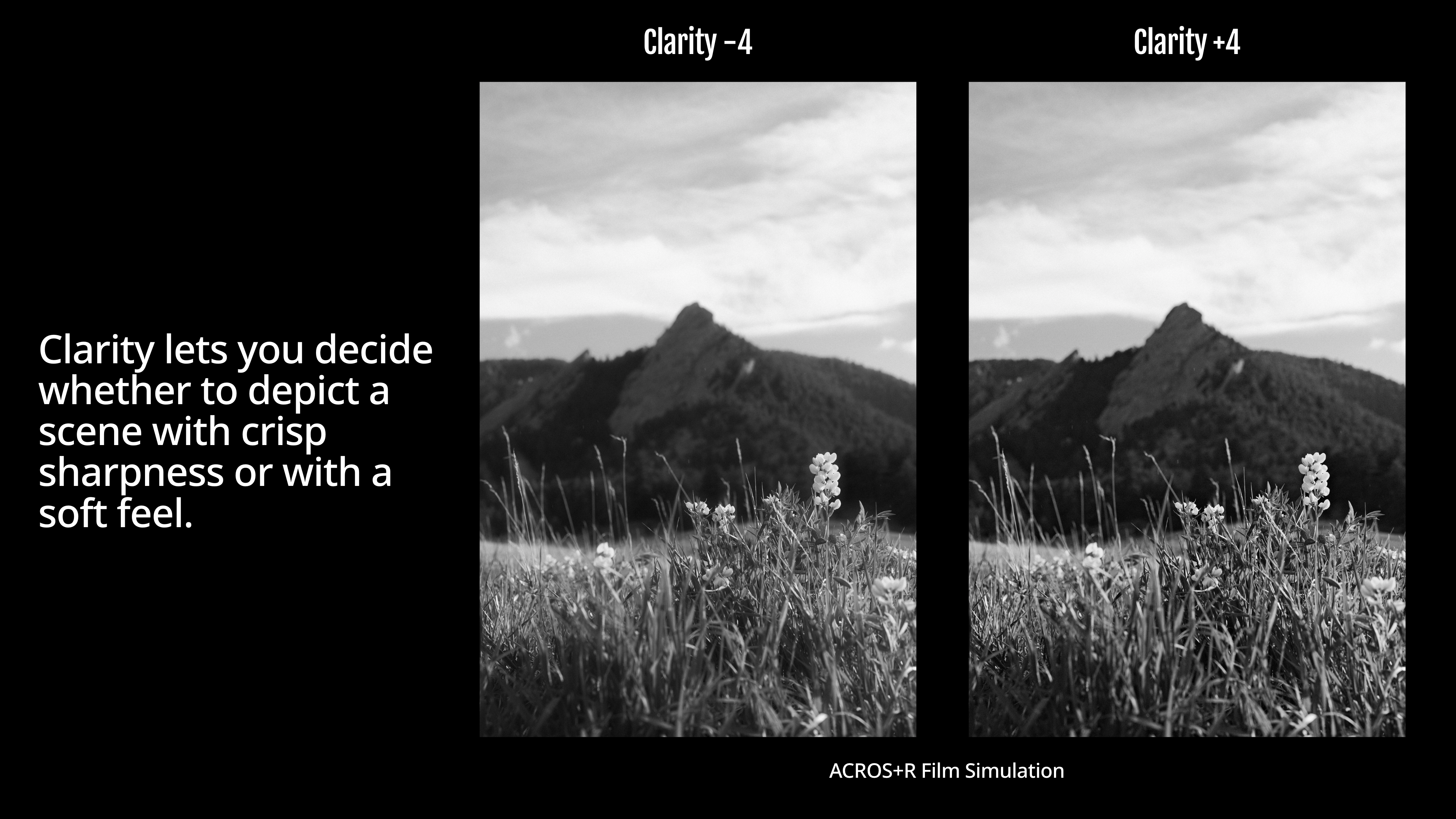
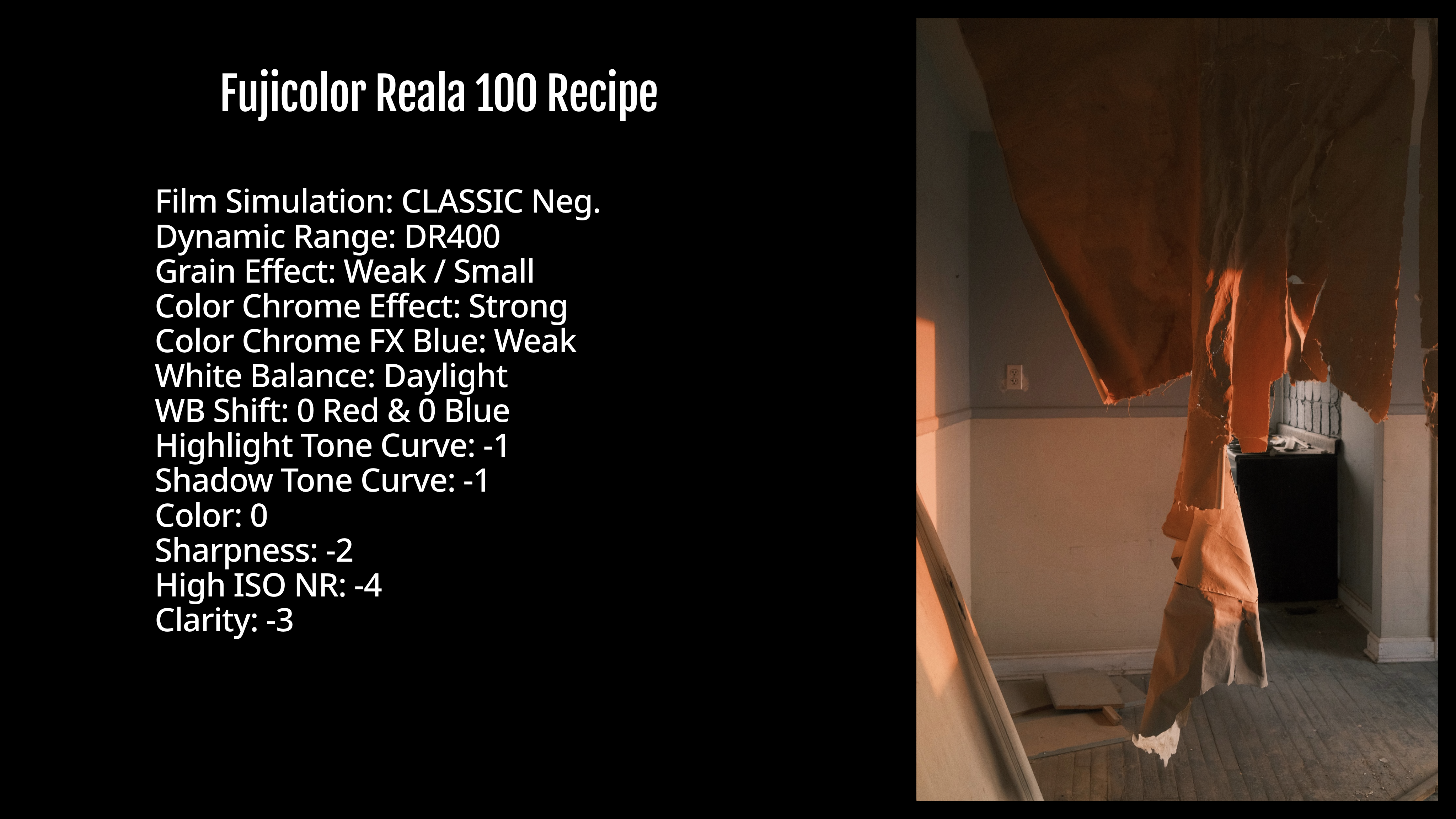
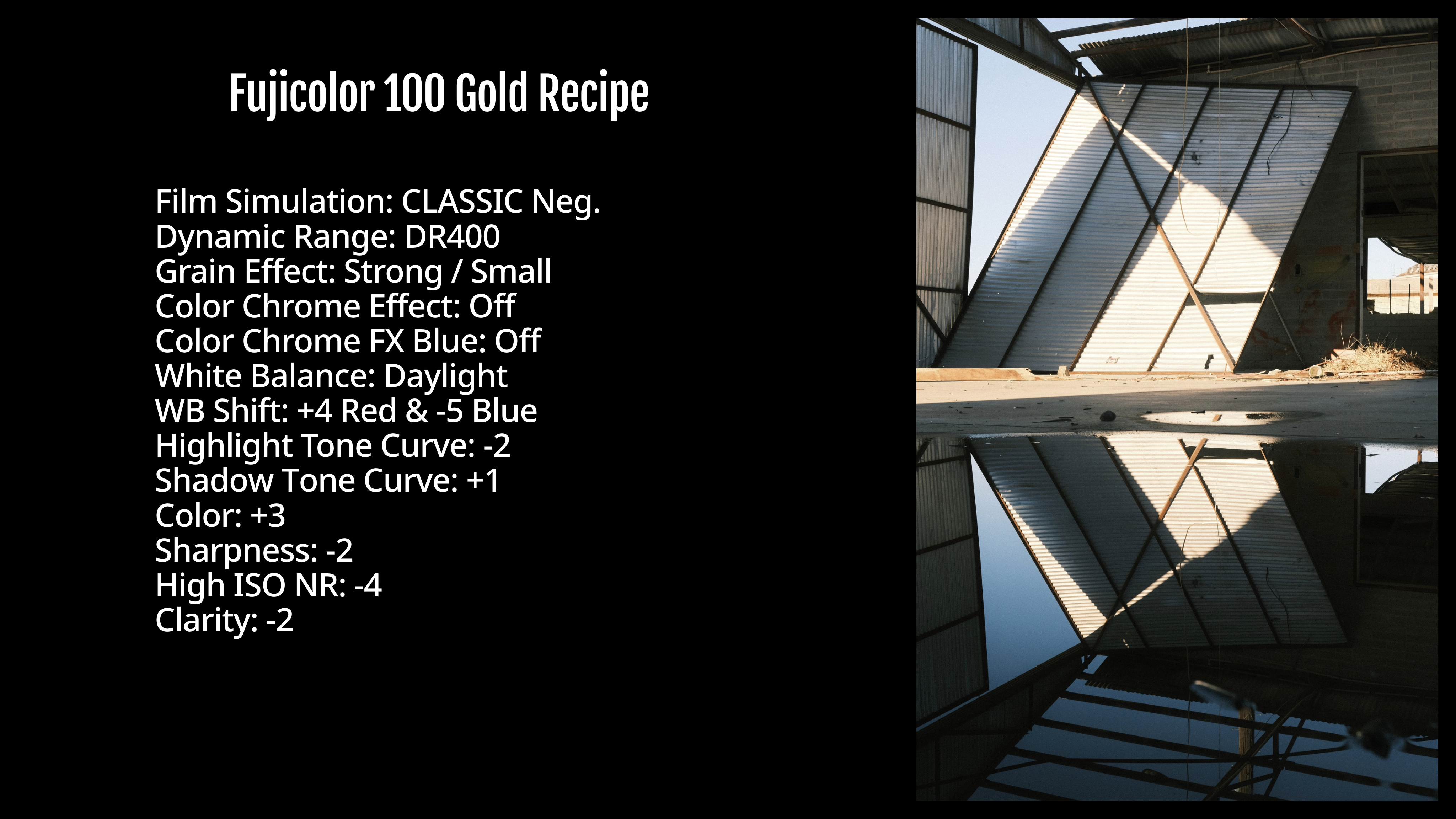
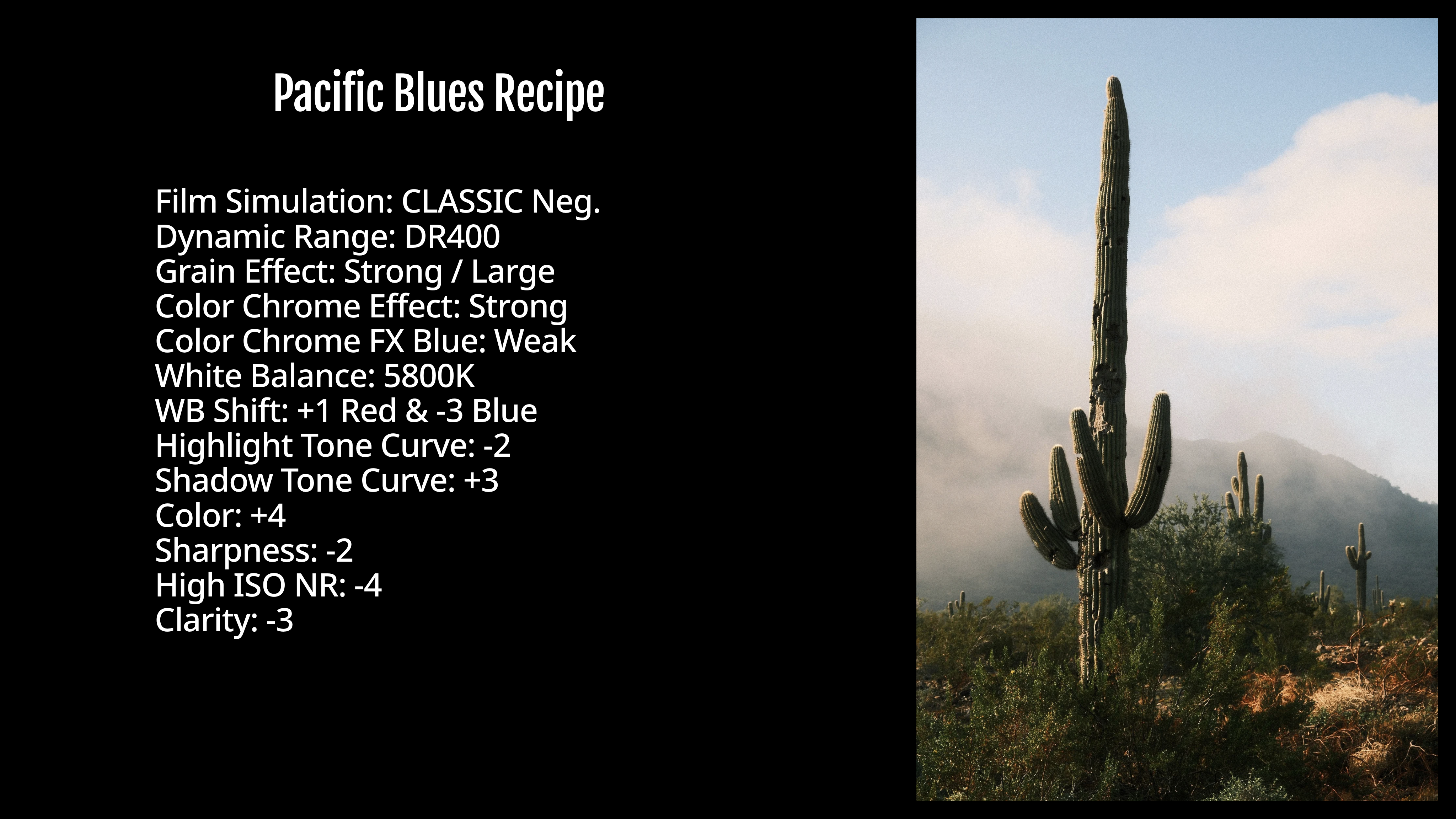
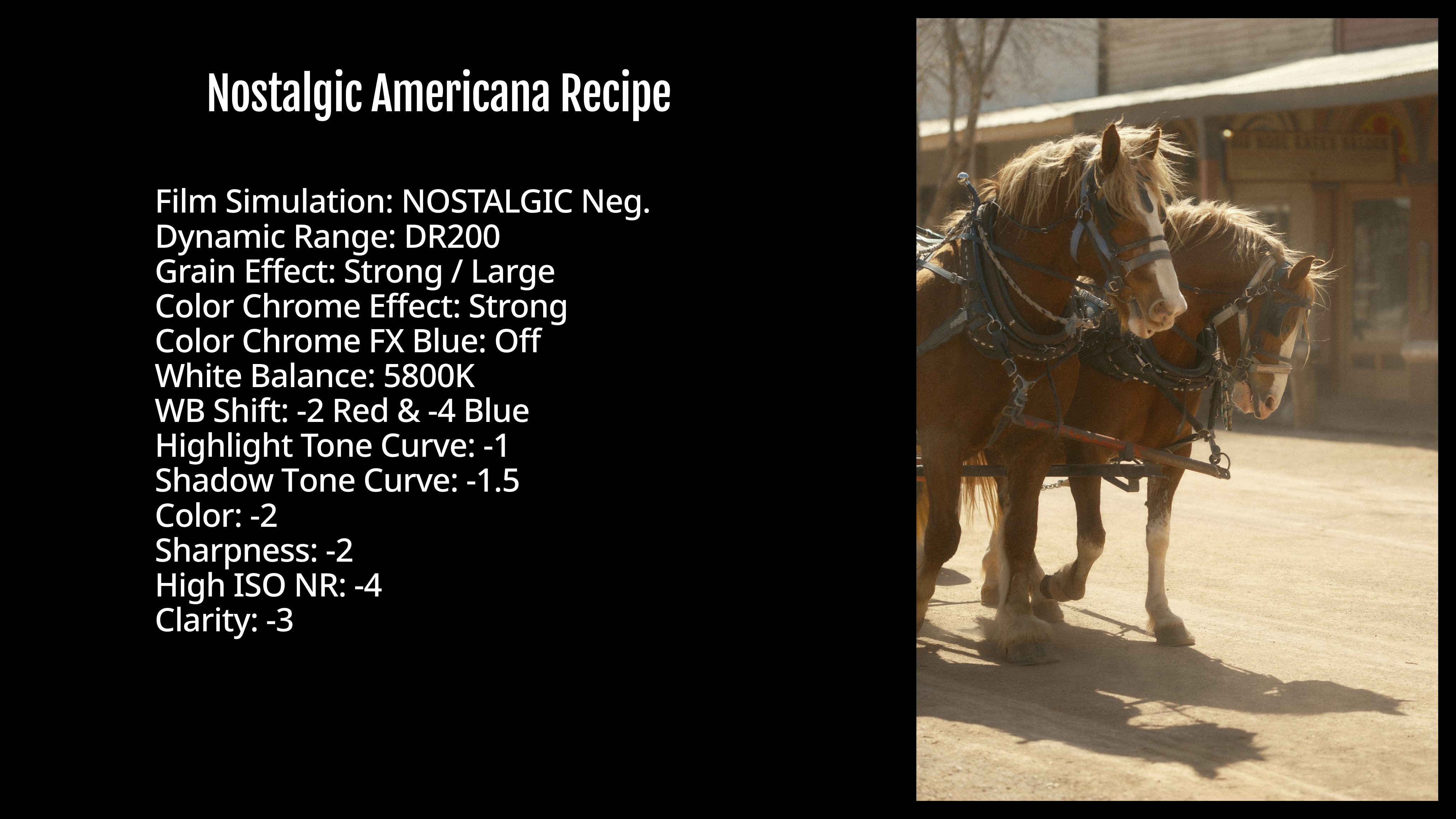
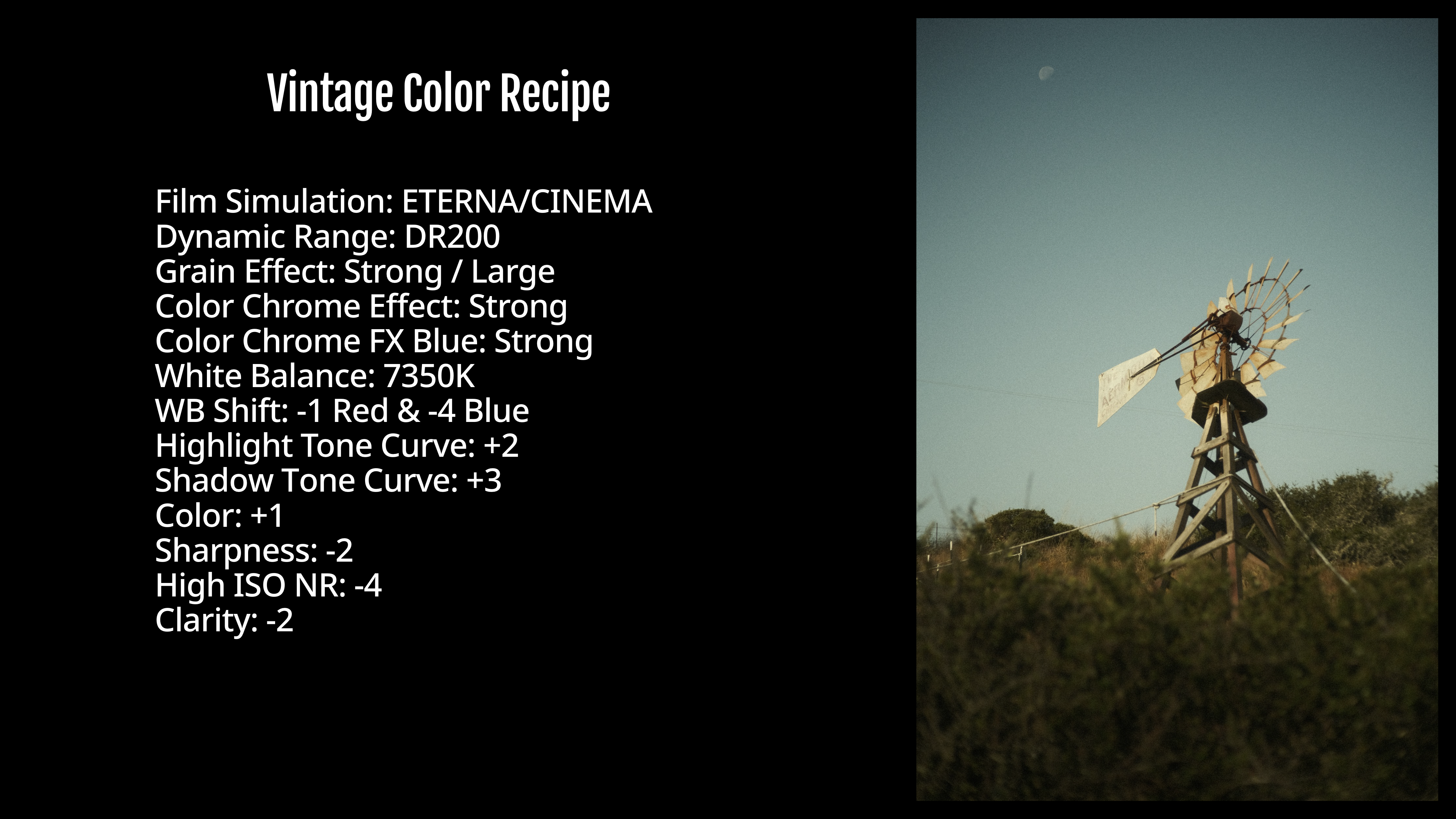
There are 1,418,895,421,643,700 possible Recipes on the latest Fujifilm cameras. Yes, that’s really how many. Crazy, right?! That’s over one-quadrillion four-hundred-trillion possible setting combinations for Recipes. I have published over 400—available at FujiXWeekly.com and on the Fuji X Weekly App—which means that I’ve barely scratched the surface of possible picture aesthetics. With that said, there are likely some that have already been made that are a good match for you and your style. Below are some examples of Film Simulation Recipes I’ve published.
How to Program a Film Simulation Recipe
Programming a Film Simulation Recipe into your Fujifilm camera can seem intimidating and confusing. It’s actually quite easy, but it takes doing it a time or two to get comfortable. The process can be slightly different from model-to-model, but it’s similar enough that this should be helpful for most people.
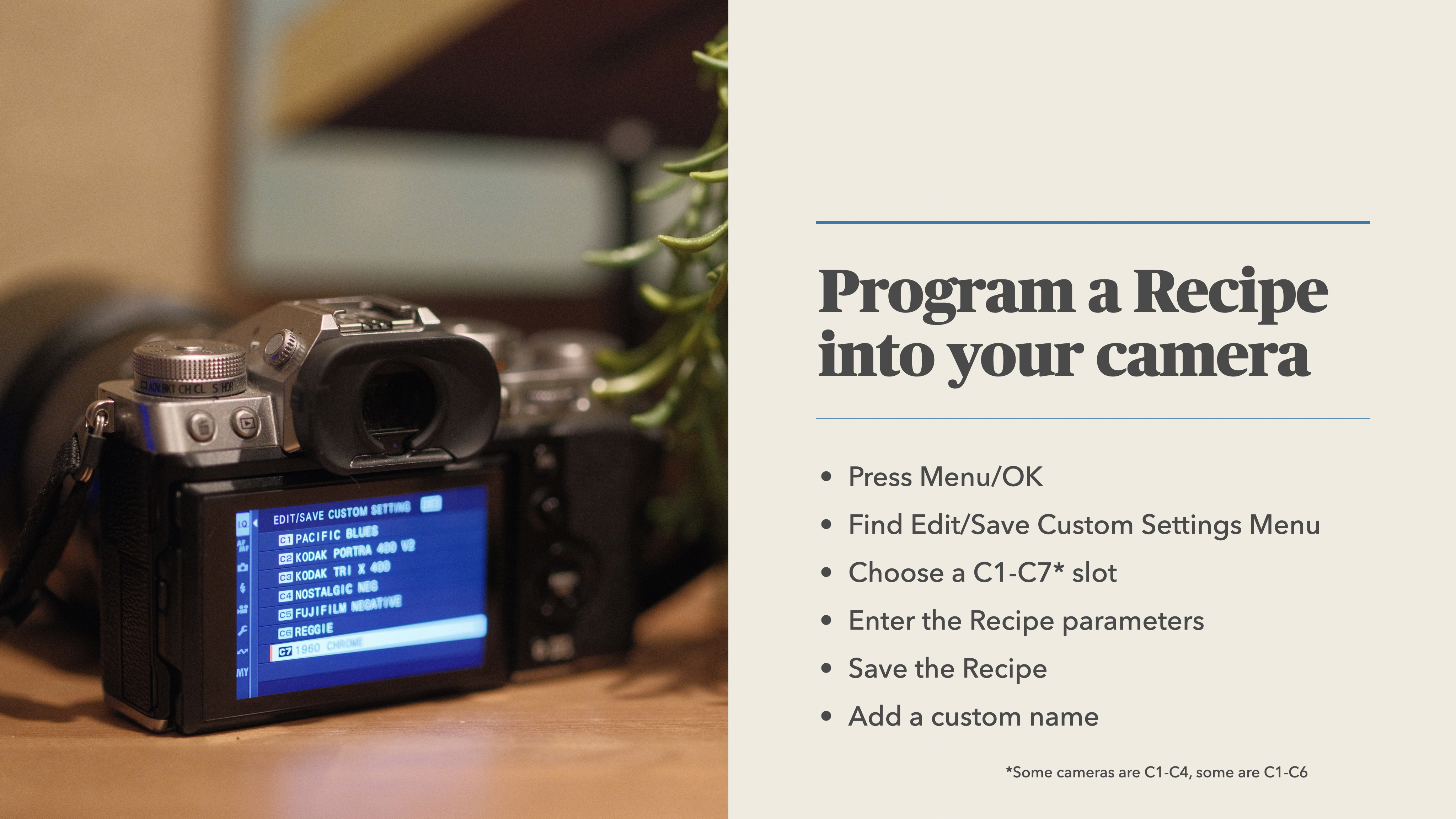
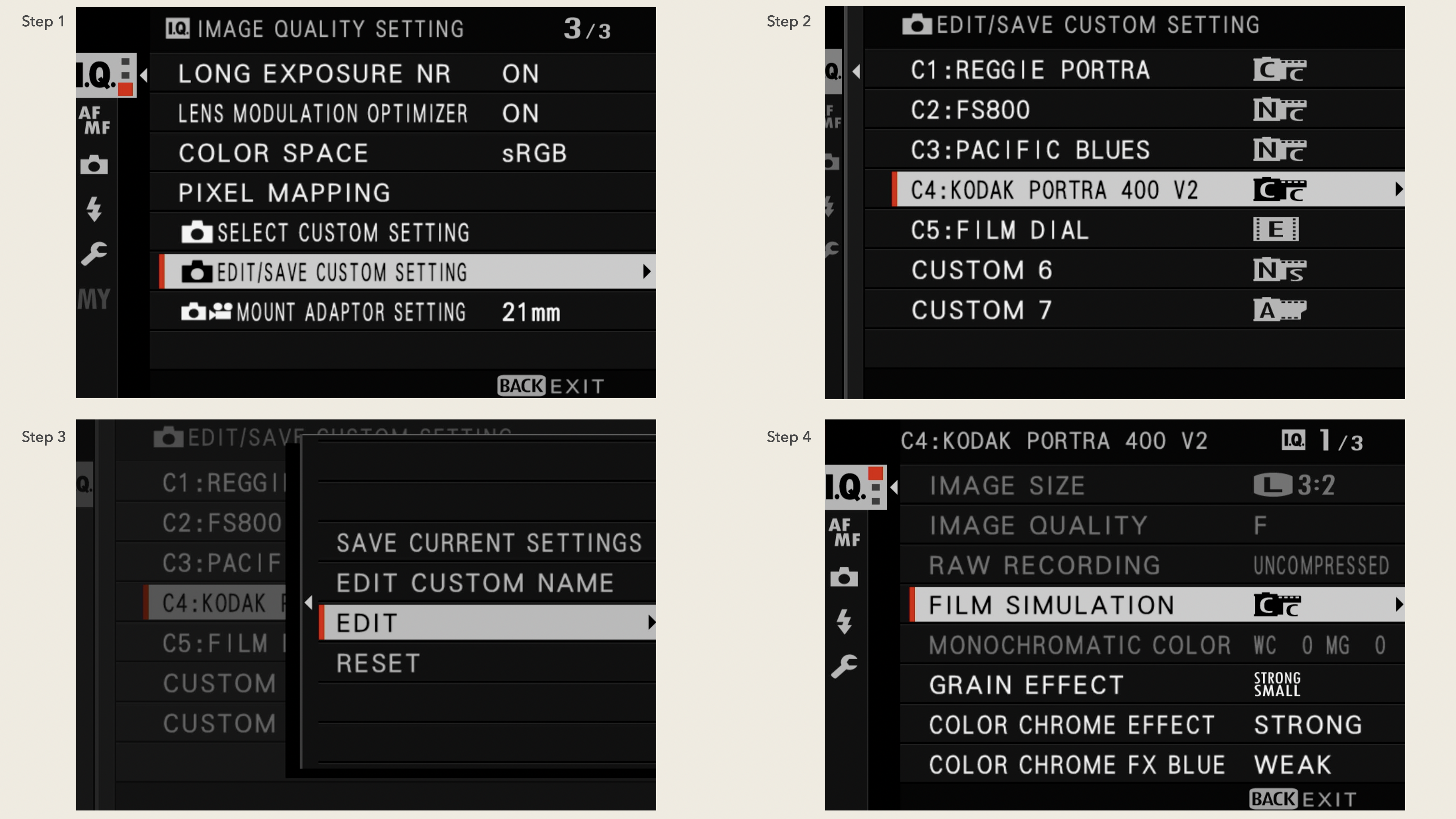
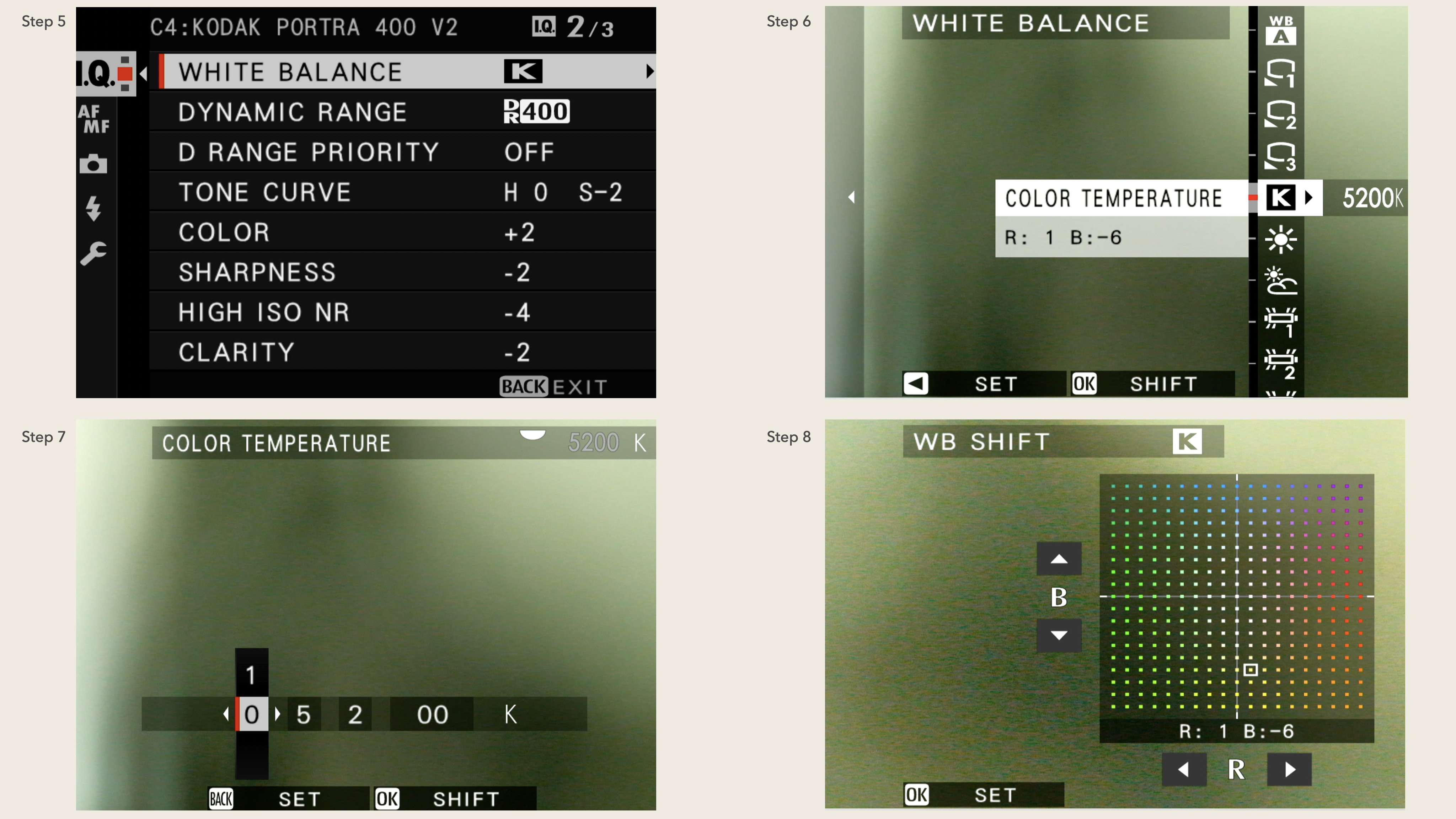
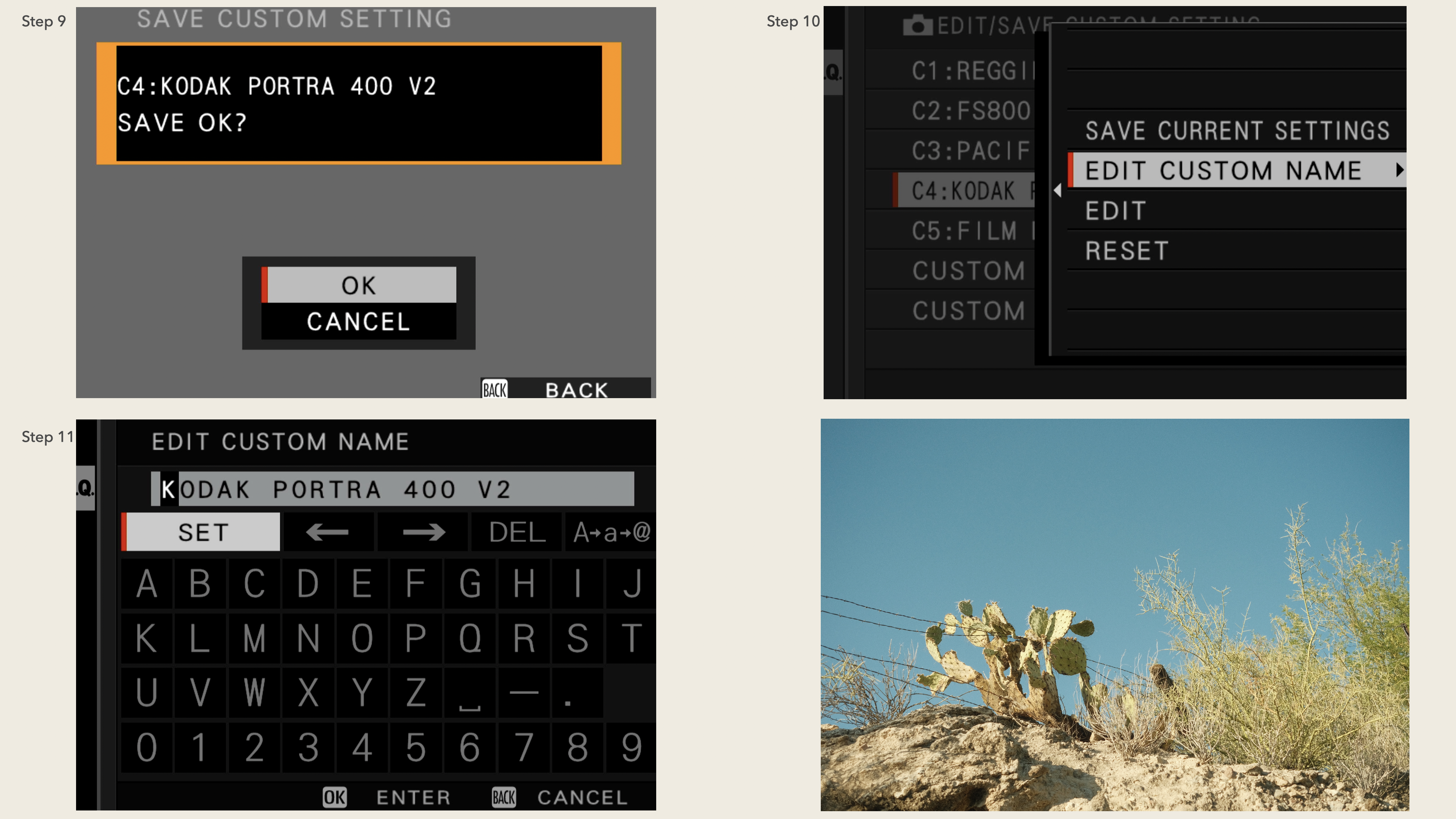
For more information about programming a Recipe, see this article (click here). If you are more of a visual learner, this YouTube video (click here) might be helpful. For more information on creating and storing Fujifilm Recipes, see this article by Fujifilm (click here).
Follow on:
Instagram
Facebook
TikTok
YouTube
See also:
RitchieRoesch.com
Ritchie’s Ricoh Recipes
RitchieCam
Collaborative Case & Camera Strap
 Ritchie Roesch